Best One Piece Card Scanner Apps in 2026: Honest Comparison
Looking for the best app to scan your One Piece cards? I’ve spent the last two years building and testing card scanners, and I’ve used every One Piece TCG app on this list with the same binder of cards — modern OP sets, alt arts, a stack of Japanese cards, and the kind of well-shuffled commons every collector has too many of. Here’s an honest breakdown of what’s available in 2026, what each app is actually good at, and which one fits your situation.
The quick answer: If you want fast scanning with prices from both TCGPlayer (USD) and Cardmarket (EUR), plus real support for Japanese cards, use Haki. If you mainly buy and sell on TCGPlayer’s marketplace, their official app makes sense. If you track portfolio value across multiple TCGs — Pokémon, sports cards, One Piece — look at Collectr. The full reasoning, including where Haki is not the right pick, is below.
Full disclosure up front: I built Haki, so read my take on it with that in mind. That’s also why this comparison focuses on things you can verify yourself in five minutes with each app’s free tier — not on numbers you have to take my word for.
What to Look For in a Scanner App
Before comparing apps, here’s what actually matters for One Piece TCG specifically:
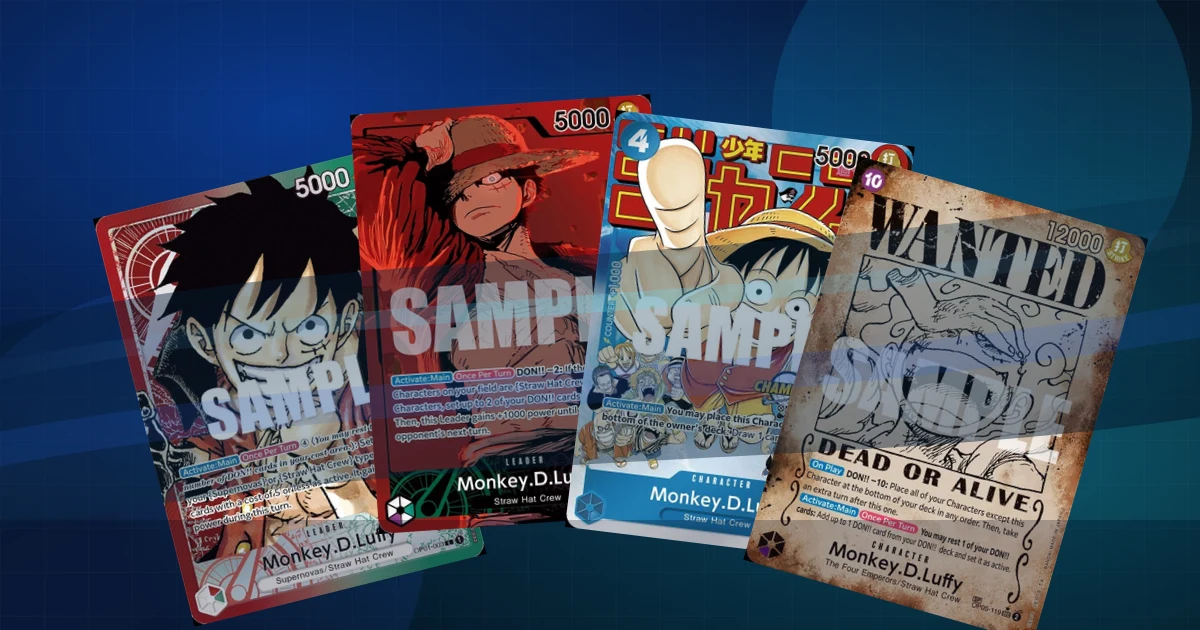
- Alt-art and variant accuracy — One Piece is a game of parallels. The same Luffy exists as a base print, alternate art, manga rare, and event promo, and they can differ in price by 50x. Identifying “a Luffy” is easy; identifying which printing is what determines the value.
- Price data — TCGPlayer is the US reference, Cardmarket is the European one, and they routinely disagree by 20–40% on the same card. An app that only shows one market is showing half the picture — here’s a full breakdown of how the two markets diverge.
- Japanese card support — a huge share of One Piece collections started with Japanese boosters, and many alt arts exist in both languages. If the scanner only knows English prints, half your binder is invisible to it.
- Speed — scanning a binder or a bulk lot means the difference between 1 second and 3+ seconds per card is the difference between an afternoon and a lost weekend.
- Collection tracking and export — can you save cards, see what your collection is worth over time, and get your data out (CSV), or is it locked in?
- Account requirements — some apps won’t let you scan a single card without creating an account first.
The Scanner Apps
Haki
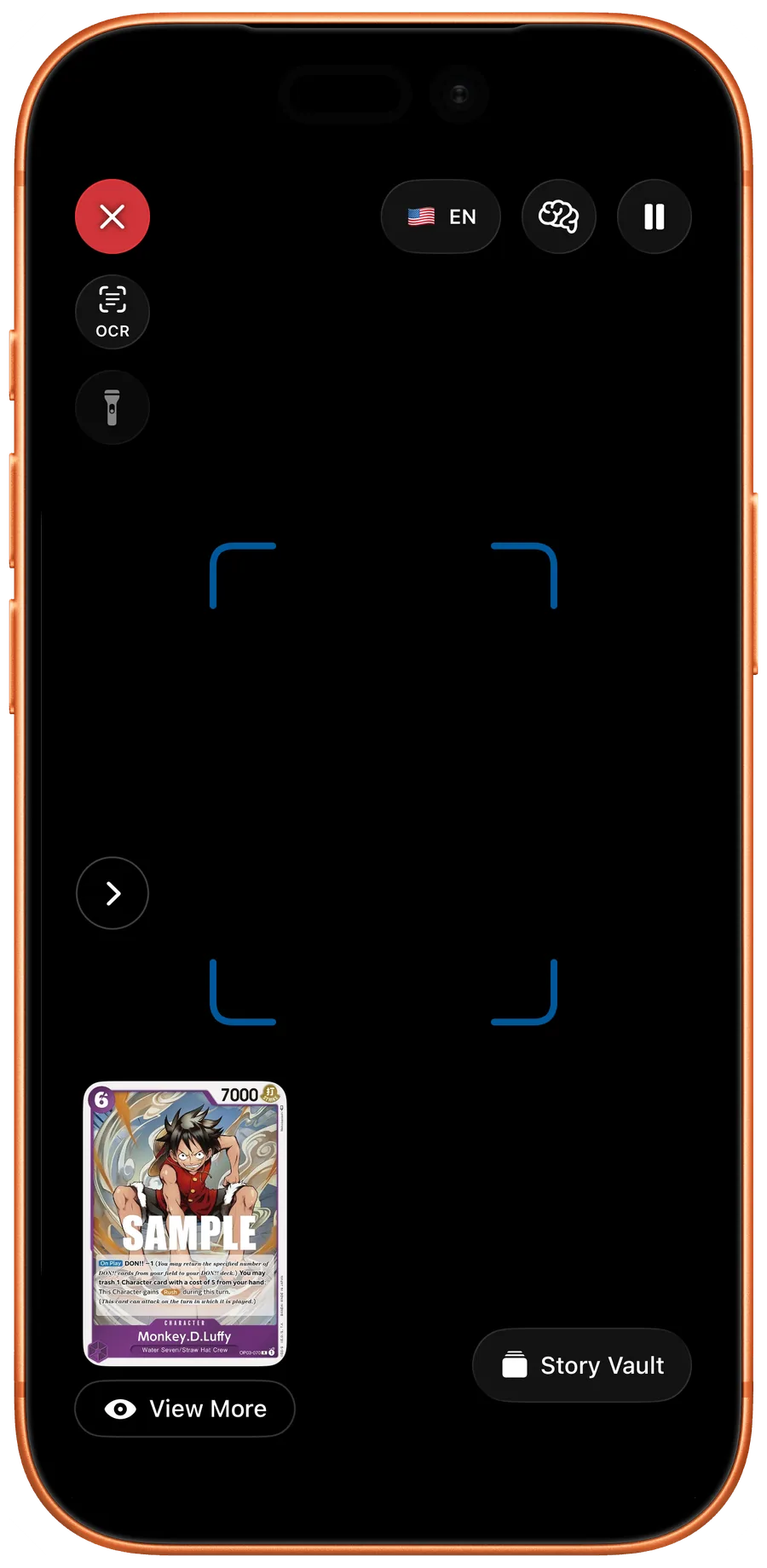
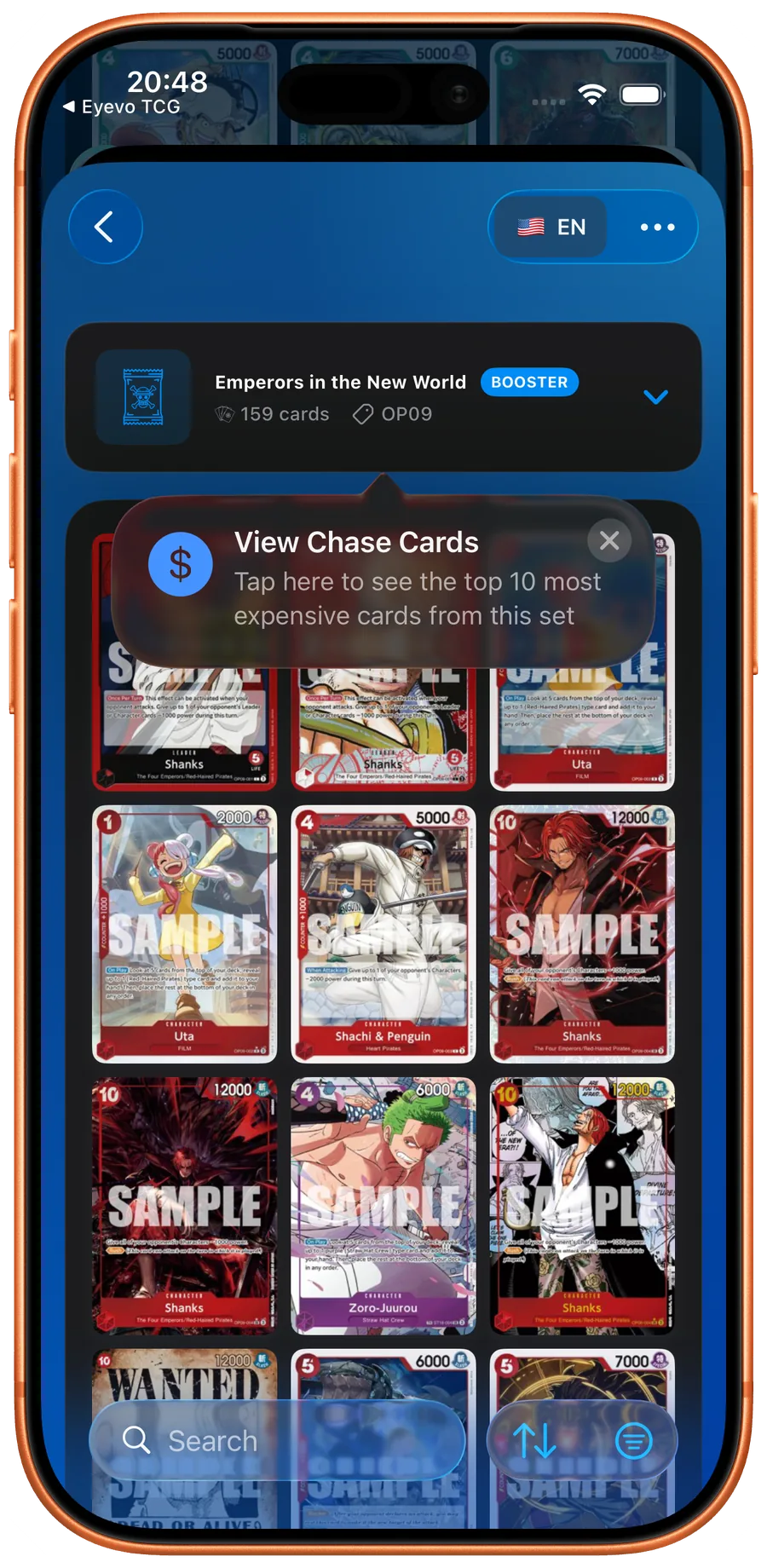
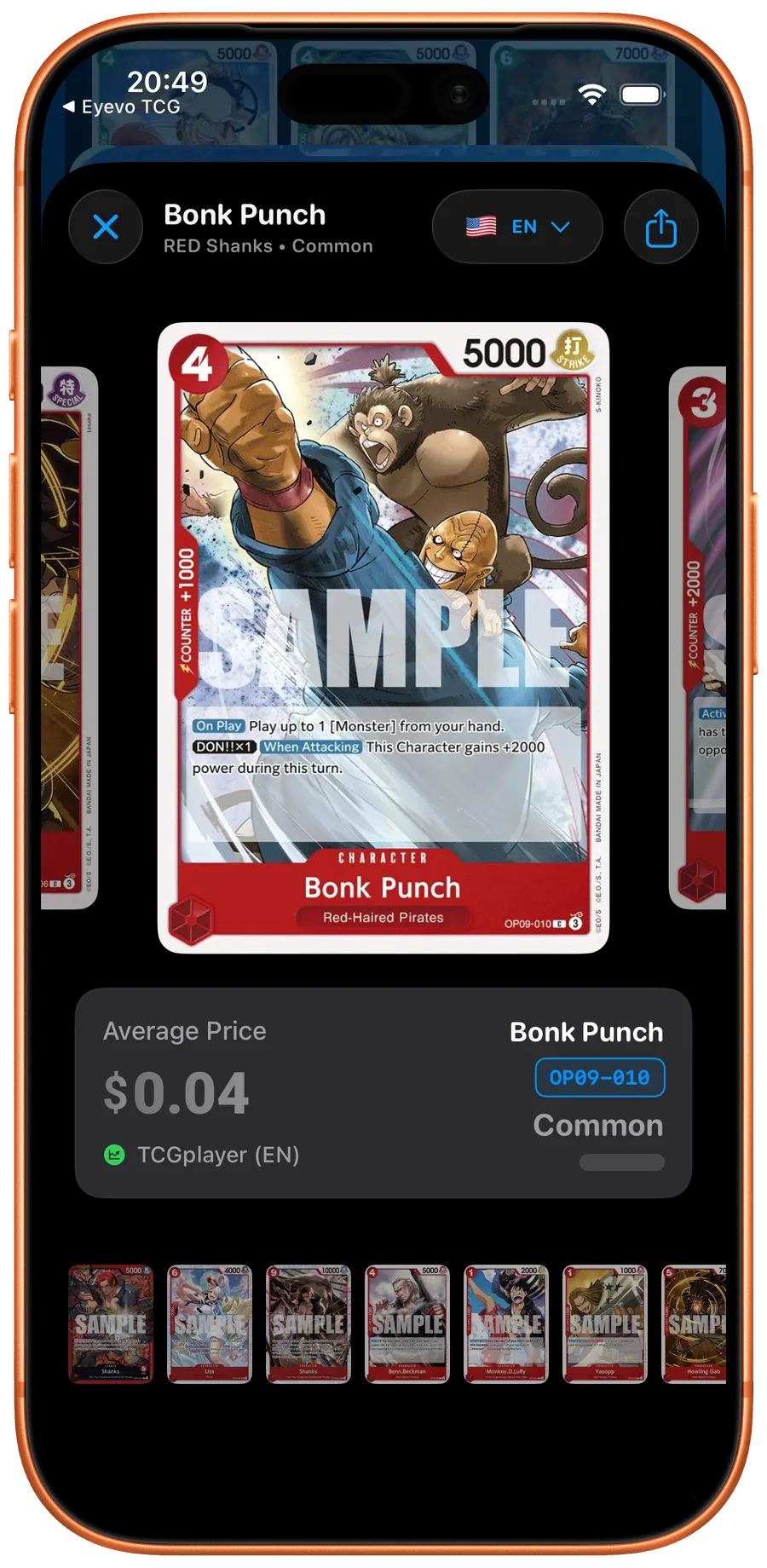
I built Haki to be the scanner I wanted for my own One Piece collection: point the camera, get the exact printing, see both TCGPlayer and Cardmarket prices immediately.
Strengths:
- Dual scanning modes: AI image recognition plus an OCR fallback that reads the card code — useful for worn cards and odd lighting
- Recognizes cards in under a second, including alt arts and manga rares (the
-v1/-v2parallel printings are tracked as separate entries) - Real prices from TCGPlayer (USD) and Cardmarket (EUR), side by side, with price history
- Full Japanese card support — scan JP cards, switch any card between EN/JP views
- eBay search built in, with condition presets, for reality-checking chase cards
- Complete offline card database — identification works without a connection
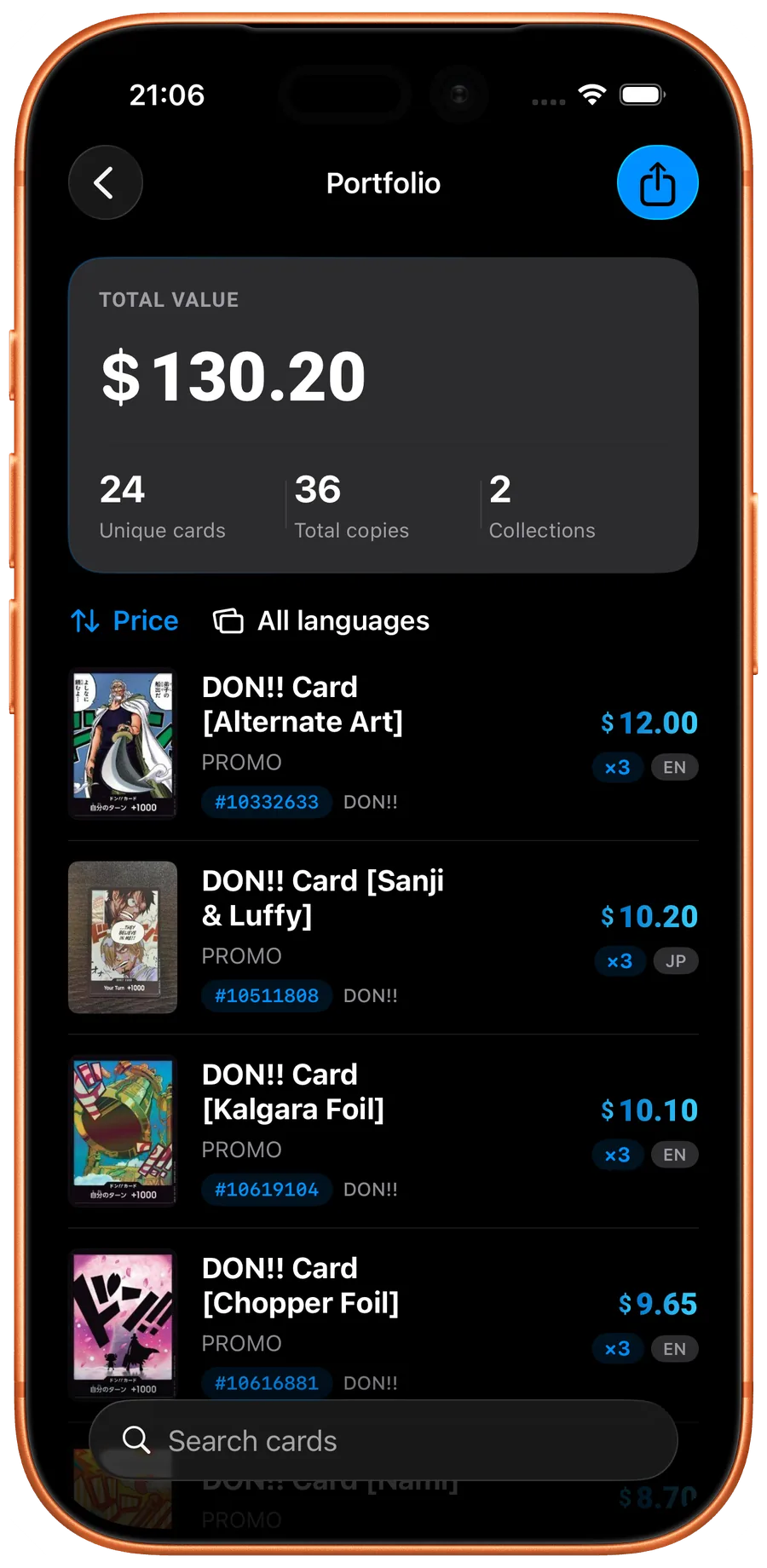
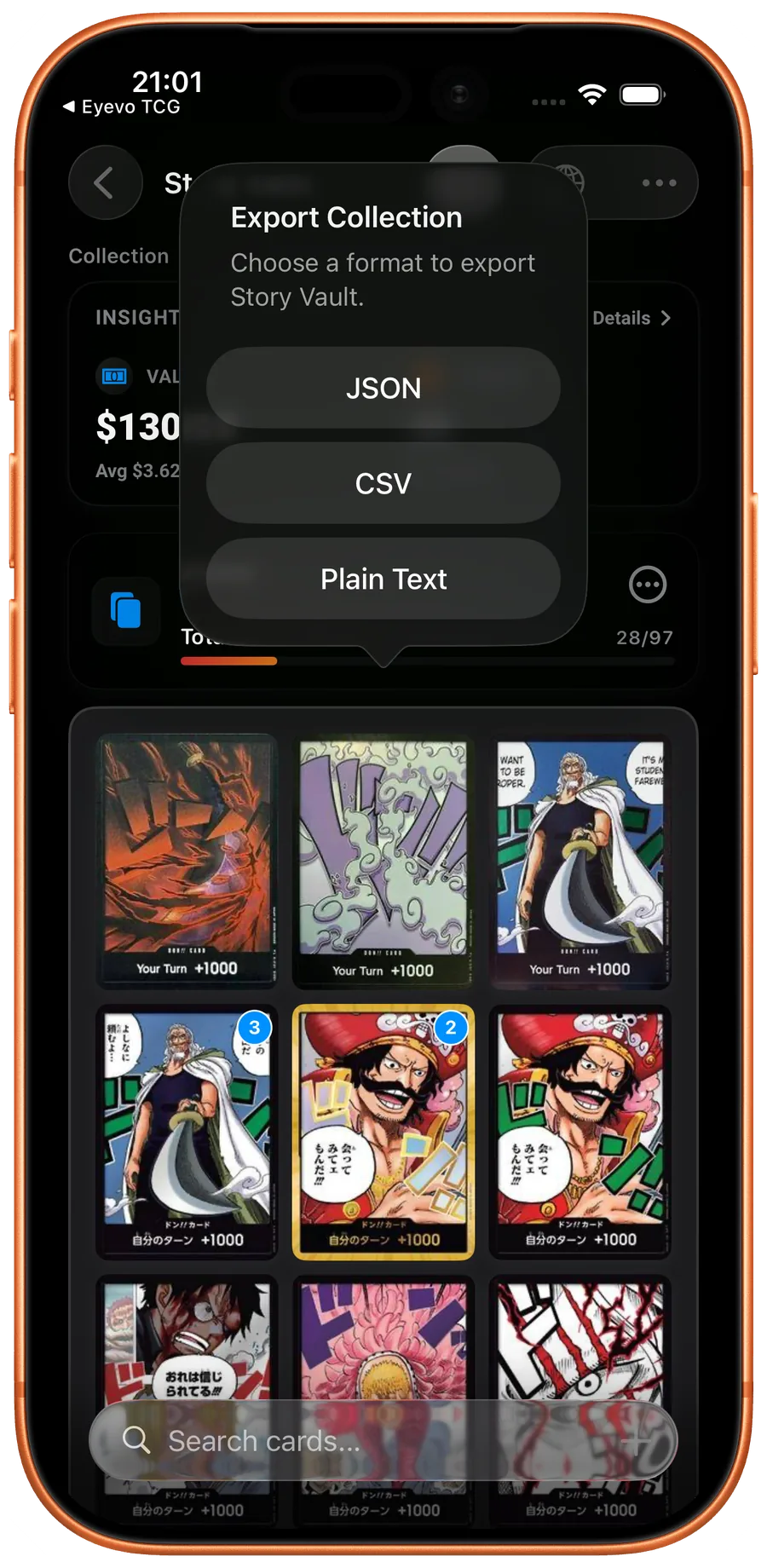
- Collection tracking with portfolio value over time, deck builder, home-screen widgets, CSV export
- No account required; free to download on iOS and Android
Weaknesses:
- One Piece only — if you also collect Pokémon or sports cards you’ll need a second app
- No built-in marketplace: Haki tells you what a card is worth, it doesn’t sell it for you
- No graded-slab label reading yet — a PSA slab is identified as the card, not the grade
Best for: One Piece collectors who want the exact printing identified fast, with both US and EU market prices and their data exportable.
Platform: iOS, Android
Real screens from the app — no mockups
OP TCG Dex
A popular One Piece-only companion app with a scanner, full card search, and a strong deck-building focus.
Strengths:
- Deep deck-building features and card search filters
- One Piece-specific, with good coverage of modern sets
- Collection tracking with vault/binder organization
Weaknesses:
- Pricing depth is thinner — no side-by-side dual-market (USD + EUR) view
- Scanning is one feature among many rather than the core workflow
Best for: Players who care about deck construction and want a scanner included.
Platform: iOS, Android
OneCollector
A One Piece-focused collection tracker with AI scanning, made by a fellow indie developer.
Strengths:
- AI card scanning, including DON!! cards
- Price alerts and market-trend views
- Free on iOS and Android
Weaknesses:
- European market data is the focus; US TCGPlayer coverage is weaker
- Bulk-scanning workflow is slower than dedicated speed-first scanners
Best for: European collectors who want price alerts on their chase cards.
Platform: iOS, Android
Collectr
The most popular portfolio tracker in the hobby — think “stock portfolio app for trading cards” covering One Piece, Pokémon, sports cards, and more.
Strengths:
- Polished portfolio view with value-over-time charts across all your TCGs
- Graded and sealed product tracking
- Strong social and sharing features
Weaknesses:
- Scanning is a means to portfolio entry, not a speed-optimized bulk workflow
- Requires an account
- One Piece variant handling is less granular than OP-specialist apps
Best for: Collectors tracking total portfolio value across several card games.
Platform: iOS, Android
TCGplayer App
The official app of the biggest US marketplace, with a scanner tied directly to buying and selling.
Strengths:
- Direct integration with the TCGPlayer marketplace — scan, list, sell
- Reliable US market prices
- One Piece is fully supported alongside every other game they sell
Weaknesses:
- US market only — no Cardmarket data, which misprices cards for European collectors
- No Japanese-card support to speak of
- Scanner accuracy on alt arts and parallels varies
Best for: Active TCGPlayer buyers and sellers who value marketplace integration over scanning depth.
Platform: iOS, Android
Ludex
A sports-card scanner that expanded into TCGs, built for high-volume intake.
Strengths:
- Fast volume-scanning workflow
- Cross-category: sports cards and TCGs in one app
- eBay-based comps
Weaknesses:
- One Piece is one category among many — set and variant coverage is shallower than OP-specialist apps
- Requires an account; free tier limits scans
Best for: Sellers who handle sports cards and TCGs together and want one intake pipeline.
Platform: iOS, Android
Price Data Sources
Where apps get their pricing matters more than most people realize:
| App | TCGPlayer (USD) | Cardmarket (EUR) | eBay | Japanese cards |
|---|---|---|---|---|
| Haki | Yes | Yes | Search with condition presets | Yes |
| OP TCG Dex | Yes | Limited | No | Partial |
| OneCollector | Limited | Yes | No | Partial |
| Collectr | Yes | No | Partial | Limited |
| TCGplayer App | Yes | No | No | No |
| Ludex | Partial | No | Yes (comps) | No |
If you’re in Europe, Cardmarket data is non-negotiable: the same alt-art Shanks can sit 30% apart between the two markets because supply differs. And if you collect Japanese cards, check the last column before installing anything.
What You Get for Free
| App | Free tier | Account required |
|---|---|---|
| Haki | Scanning, collection, both price markets — Pro unlocks larger collections | No |
| OP TCG Dex | Core features free with limits | Optional |
| OneCollector | Free with premium tier | Optional |
| Collectr | Core tracking free, premium analytics paid | Yes |
| TCGplayer App | Full app free (it’s a marketplace) | For buying/selling |
| Ludex | Limited scans on free tier | Yes |
Which App Should You Use?
Choose Haki if:
- You want the exact printing — alt art, manga rare, parallel — identified fast
- You need both TCGPlayer and Cardmarket prices
- You collect Japanese cards
- You want your collection data exportable (CSV) and usable offline
Choose TCGplayer if:
- You actively buy and sell on TCGPlayer and want scan-to-listing integration
Choose Collectr if:
- You track value across One Piece, Pokémon, and other collectibles in one portfolio
Choose OP TCG Dex if:
- Deck building is your main focus and scanning is secondary
FAQ
What is the best app to scan One Piece cards?
For identification accuracy on alt arts and dual-market pricing (TCGPlayer + Cardmarket), Haki is the strongest One Piece-specific option, and it needs no account. For marketplace selling, the TCGplayer app is the better fit; for multi-TCG portfolios, Collectr.
Is there a free One Piece card scanner app?
Yes. Haki is free to download on iOS and Android and scans without an account. OP TCG Dex, OneCollector, and the TCGplayer app also have free tiers. Paid tiers in most apps unlock larger collections or deeper analytics rather than basic scanning.
Can these apps scan Japanese One Piece cards?
Only some. Haki ships its catalog with both English and Japanese data, so JP-only cards and Japanese alt arts are identified and can be viewed in either language. Most general-purpose scanners only know English prints.
Do One Piece card scanner apps work offline?
Haki ships its full card database inside the app, so identification works offline and prices sync when you’re back online. Most other scanners need a connection for every scan.
How do scanner apps handle alt arts and manga rares?
The good ones track each parallel as its own entry with its own price — in the Haki database you’ll see -v1, -v2 style printings listed separately, because a manga rare can be worth 50x the base print. If an app shows you one price per card name, it’s averaging away exactly the information you need.
The Bottom Line
I built Haki because existing scanners either didn’t know One Piece’s parallels well enough or only showed one market’s prices. If you’re scanning a binder of alt arts, an app that can’t tell the base print from the manga rare isn’t just slow — it’s giving you wrong numbers.
For One Piece-specific scanning with both US and EU prices, Japanese card support, and exportable data, give Haki a try — it’s free and takes under a minute to scan your first card. For marketplace integration, TCGplayer’s app makes sense. For multi-game portfolios, Collectr is solid.
The right choice depends on what you collect. But if One Piece is your game, use a scanner that was built for it.
Related Articles
- A Guided Tour of Haki TCG's Core Features
See how Haki TCG helps you scan, price, and organize One Piece TCG cards with a fast, collector-friendly workflow.
- One Piece TCG Rarity Guide: Symbols, Parallel Rares & Value Tiers (2026)
Learn One Piece TCG rarity symbols, alternate-art and parallel treatments, why rarity is not the same as value, and how many printings Haki tracks by treatment.
- Complete Guide to One Piece TCG Leaders (2026)
A quick reference for One Piece TCG Leaders—what they do, how to choose one, and which sets they come from.

Scan and track every One Piece TCG card.
Identify cards with the Haki TCG scanner, check dated market prices, build decks, and manage your collection.